Raptor Visitor Kiosk
Updating School Locations
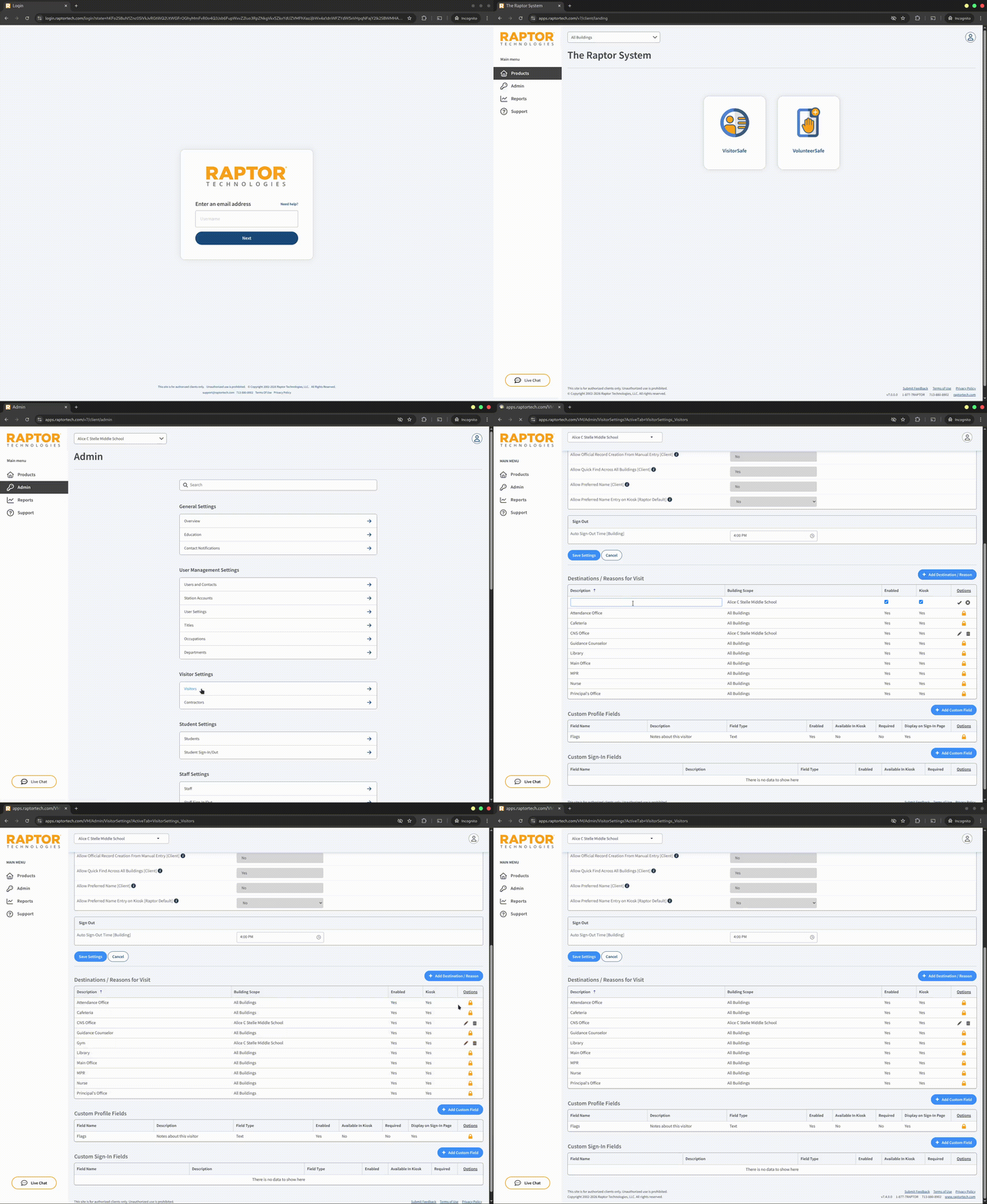
- Login to Raptor (https://apps.raptortech.com)
- Make sure your location is selected in the dropdown at the top of the page
- Navigate to the Admin page in the left-hand sidebar
- Under Visitor Settings select Visitors
- Scroll down to Destinations/Reasons for Visit
- Press the blue + Add Destination/Reason button on the right-hand side
- Type in a location name/description in the left-most field
- Press the checkmark on the very right to save the new location
Video